

What Is Golf Screen Bounce Back and Why Does It Matter?
Golf screen bounce back occurs when the launch monitor’s camera detects unwanted reflections, ball fragments, or secondary ball impacts after the initial strike. This phenomenon directly compromises shot data accuracy, affecting swing metrics like ball speed, launch angle, and spin rate. In 2026, as home golf simulators become increasingly sophisticated, eliminating bounce back is essential for reliable performance tracking and game improvement. Modern systems like the Uneekor Eye Mini Lite require precise environmental conditions to function optimally.

Bounce back interference creates false readings that mislead golfers about their actual performance. When the camera captures secondary ball movement or mat reflections, the system misinterprets this data as part of the original shot. This leads to inflated or deflated metrics that don’t represent your true swing. Understanding the root causes helps you implement targeted solutions that improve measurement reliability and ensure your training data remains trustworthy throughout 2026.
Key Takeaway: Golf screen bounce back distorts launch monitor data, making it critical to address through proper setup and environmental control.
How Do You Optimize Camera Placement to Minimize Bounce Back?
Camera positioning is the foundation of bounce back reduction. The launch monitor must be positioned at the correct height, distance, and angle relative to your impact zone. Most systems require the camera to be mounted 8-12 feet away from the ball at a height of 4-5 feet, angled slightly downward at approximately 15-20 degrees. This positioning allows the camera to capture the ball’s initial launch characteristics while minimizing reflections from flooring, walls, or other environmental surfaces.
Mounting stability matters significantly. Use a sturdy tripod or wall-mounted bracket designed specifically for launch monitors. Movement or vibration during your swing causes the camera to shift, capturing erratic data and increasing bounce back incidents. Secure all cables and ensure the mounting system is rated for your specific device weight. Test the setup by performing practice swings and monitoring the data consistency across multiple shots.
Camera Height and Distance Guidelines
Proper spacing prevents the camera from catching unwanted reflections. Position the device perpendicular to your swing plane, not at an angle. This perpendicular alignment ensures the camera views the ball’s flight path directly without interference from side walls or off-angle surfaces. Most modern systems include alignment guides or mobile apps to help you verify correct positioning within 2-3 inches of the recommended distance.
- Mount camera 8-12 feet behind the impact zone for optimal ball tracking.
- Position height at 4-5 feet above ground level, slightly above shoulder height.
- Angle camera 15-20 degrees downward toward the ball’s launch point.
- Ensure perpendicular alignment to your swing plane to eliminate side reflections.
- Use laser alignment tools to verify precise positioning within tolerance.
Securing Your Equipment
Loose equipment creates vibration that amplifies bounce back detection. Invest in a professional-grade tripod with a weight capacity at least double your launch monitor’s weight. Lock all adjustment knobs firmly and double-check tightness before each session. If you’re using wall-mounted brackets, use lag bolts rated for your wall type—drywall anchors alone won’t provide sufficient stability.
Key Takeaway: Precise camera placement at the correct height, distance, and angle eliminates most bounce back interference.
What Environmental Factors Contribute to Screen Bounce Back?
Your indoor space’s physical characteristics significantly impact bounce back reduction. Reflective surfaces like mirrors, windows, glossy flooring, and metal fixtures act as bounce back amplifiers. These surfaces reflect light and ball fragments back toward the camera, creating false data points. Assess your golf simulator room and identify all reflective elements within the camera’s field of view. Addressing these environmental factors is often more cost-effective than upgrading hardware.

Lighting conditions directly influence camera performance. Bright sunlight through windows creates glare that confuses the optical sensors. Fluorescent overhead lights can cause flickering interference. The ideal setup uses consistent, diffused lighting without direct glare on the impact zone. Install blackout curtains or light-blocking shades to control ambient light. Add soft LED lighting positioned behind or to the side of the camera to eliminate shadows without creating reflections.
Flooring and Surface Treatment
Your hitting mat and surrounding floor directly affect bounce back. Hard, reflective flooring bounces ball fragments and creates optical noise. Mat selection matters—premium hitting mats with rubber backing absorb impact energy and reduce secondary bounces. Position your mat to ensure the ball impacts the center, not at angles that cause side bounces. Consider adding a dark-colored mat surround or turf extension to reduce reflections from the floor beyond the mat.
- Replace glossy flooring with matte surfaces or install dark carpet in the camera’s field of view.
- Use premium hitting mats with high-density rubber backing to absorb impact energy.
- Add dark fabric or turf extensions around the mat perimeter to eliminate side reflections.
- Avoid positioning the mat directly against reflective walls or windows.
- Keep the impact zone clear of clutter that could create secondary reflections.
Wall and Background Management
Bare walls behind and beside the camera create bounce back through light reflection. Paint walls in matte black or dark gray within the camera’s viewing area. If painting isn’t possible, install acoustic panels or dark fabric coverings to absorb light and reduce reflections. Remove mirrors, picture frames, and glossy decorations from the simulator room. These items act as bounce back sources even when they’re not directly in the camera’s line of sight.
Key Takeaway: Controlling reflective surfaces, lighting, and flooring eliminates environmental bounce back sources.
How Can You Adjust Ball Speed and Impact Settings to Reduce Bounce Back Detection?
Modern launch monitors include software settings that filter out bounce back data. Access your system’s settings menu and look for “bounce back threshold,” “impact sensitivity,” or “data filtering” options. These settings determine how aggressively the camera ignores secondary ball movements after the initial impact. Increasing the filter sensitivity reduces false readings from minor bounces. However, excessive filtering may eliminate legitimate data from slower swing speeds, so balance is essential.
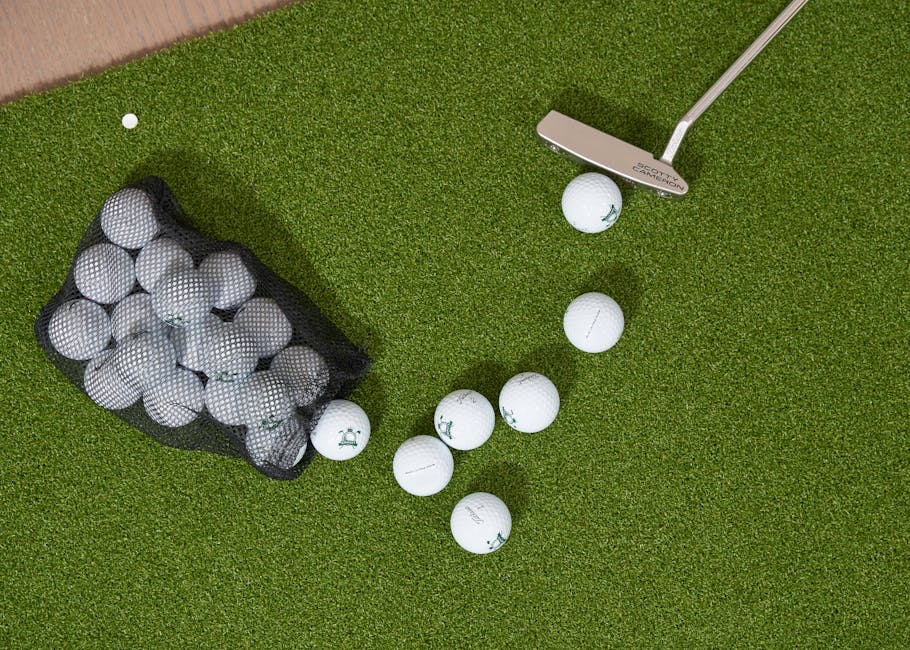
Ball selection influences bounce back significantly. Use premium golf balls specifically designed for launch monitor compatibility. These balls have consistent compression ratings and surface patterns that minimize unpredictable bounces. Avoid range balls or worn equipment that produce erratic secondary bounces. Replace balls regularly—worn covers create inconsistent impacts that increase bounce back frequency. Quality balls like Pro V1 or TP5 models provide superior tracking consistency across all swing speeds.
Software Filtering and Sensitivity Adjustment
Your launch monitor’s firmware includes bounce back compensation algorithms. Check the manufacturer’s website for the latest software updates in 2026. Updates often include improved bounce back filtering based on user feedback and technological advances. Document your baseline settings before making adjustments. Make changes incrementally—reduce sensitivity by 5-10% intervals and test with 10-15 shots before further adjustment. Monitor data consistency across multiple sessions to ensure filtering isn’t introducing other inaccuracies.
- Access system settings and locate bounce back or impact sensitivity controls.
- Increase filter sensitivity gradually to eliminate false secondary impacts.
- Test adjustments with consistent swing speeds to verify accuracy.
- Update firmware regularly to access latest bounce back filtering improvements.
- Document baseline settings and changes for future reference and troubleshooting.
Ball Selection and Maintenance
Invest in a consistent ball model for practice sessions. Using the same ball across multiple shots eliminates variables that cause bounce back inconsistencies. Store balls in a climate-controlled environment—temperature changes affect ball compression and performance. Inspect balls before each session for scuffs, cuts, or wear that might cause erratic bounces. Replace balls showing visible damage immediately. Some golfers dedicate specific balls exclusively to indoor simulator use, preserving them from outdoor wear.
Key Takeaway: Software filtering combined with quality ball selection dramatically reduces bounce back false readings.
What Hardware Solutions Effectively Eliminate Bounce Back in 2026?
Upgrading to advanced launch monitor systems with multi-camera technology significantly reduces bounce back. Dual-camera systems like the Uneekor Eye Mini Lite use synchronized sensors that cross-reference data points, automatically filtering out single-camera anomalies. These systems triangulate ball position and movement, making bounce back detection nearly impossible. While premium systems cost more initially, the accuracy improvement and elimination of frustrating data errors justify the investment for serious golfers.

Impact screens designed for launch monitor use provide additional bounce back reduction. Premium impact screens feature specialized fabric that absorbs ball energy uniformly, minimizing secondary bounces. These screens also provide consistent ball return characteristics, allowing for predictable ball flight simulation. Pair your impact screen with a quality enclosure net to contain ball fragments and prevent them from returning toward the camera. This combination creates a controlled environment that virtually eliminates bounce back sources.
Launch Monitor Upgrades and Comparisons
Evaluate your current system’s bounce back performance. If you’re experiencing consistent data anomalies despite environmental optimization, hardware upgrade may be necessary. Compare specifications of current-generation systems available in 2026. Look for multi-camera designs, high-speed sensors (4,000+ fps), and advanced software filtering. Read user reviews specifically mentioning bounce back performance. Many manufacturers provide trial periods or rental options—test upgraded systems before committing to purchase.
- Multi-camera systems automatically cross-reference data, eliminating single-camera bounce back errors.
- High-speed sensors (4,000+ fps) capture ball flight details with minimal false readings.
- Advanced AI-powered filtering recognizes and removes bounce back artifacts automatically.
- Premium impact screens absorb ball energy uniformly, reducing secondary bounces.
- Enclosure nets contain ball fragments and prevent camera interference.
Impact Screen and Enclosure Selection
Your impact screen quality directly affects bounce back reduction. Premium screens cost more but provide superior ball energy absorption and consistent return characteristics. Measure your space carefully before purchasing—screens range from 7×7 feet to 10×10 feet. Ensure your enclosure net extends beyond the screen perimeter to capture off-angle shots. Add a ball return system at the screen base to prevent balls from bouncing back toward the camera area. These investments create a professional environment that minimizes bounce back sources.
Key Takeaway: Multi-camera systems and premium impact screens provide comprehensive bounce back elimination.
How Do You Test and Verify Bounce Back Reduction Success?
Establish baseline measurements before implementing bounce back reduction strategies. Record 20-30 shots with your current setup, documenting launch monitor readings for each swing. Note any inconsistencies or readings that seem inaccurate relative to your perceived swing quality. After implementing changes, repeat the same test sequence using identical swing mechanics. Compare data consistency—successful bounce back reduction shows tighter grouping of metrics across multiple shots with similar swing characteristics.
Use reference points to validate data accuracy. Hit shots with known characteristics—full swings with your 7-iron should produce consistent ball speeds within 2-3 mph of your typical distance. Partial swings should show proportional speed reductions. If data varies wildly or shows unexplained spikes, bounce back interference likely persists. Document improvements over time. Create a testing log tracking bounce back incidents, environmental changes, and resulting data quality improvements. This systematic approach identifies which strategies provide the most significant benefits for your specific setup.
Data Consistency Metrics
Launch monitors provide detailed data reports. Export shot data from your system and analyze consistency patterns. Calculate standard deviation for ball speed, launch angle, and spin rate across 10-shot sequences with identical swing intent. Lower standard deviation indicates better data reliability. Successful bounce back reduction reduces standard deviation by 15-30% compared to baseline measurements. Track this metric after each environmental adjustment or software update to quantify improvement effectiveness.
- Record 20-30 baseline shots before implementing any bounce back reduction strategies.
- Test identical swings after changes to measure data consistency improvement.
- Calculate standard deviation for key metrics (ball speed, launch angle, spin rate).
- Document all environmental modifications and their impact on data quality.
- Compare new data against baseline to quantify bounce back reduction success.
Ongoing Monitoring and Adjustment
Bounce back reduction is an ongoing process, not a one-time fix. Environmental factors change seasonally—humidity affects ball behavior, temperature influences equipment performance, and lighting conditions vary throughout the year. Schedule quarterly reviews of your bounce back performance. Check camera alignment, inspect equipment for wear, verify software is current, and reassess environmental conditions. This proactive approach maintains optimal system performance and catches emerging issues before they significantly impact data quality.
Key Takeaway: Systematic testing and ongoing monitoring ensure sustained bounce back reduction over time.
What Advanced Techniques Complement Your Bounce Back Reduction Strategy?
Integrate swing analysis tools that work alongside your launch monitor to cross-validate data. The Stack System Speed Training App provides independent swing metrics that you can compare against launch monitor readings. Discrepancies between these systems often indicate bounce back interference. Using multiple data sources creates redundancy that catches errors your primary system might miss. This layered approach significantly improves overall data reliability and confidence in your swing analysis.
Consider pressure plate technology for additional performance insights. Pressure plate systems track weight shift and balance during your swing, providing biomechanical data independent of camera-based measurements. These systems help you understand swing mechanics without relying solely on launch monitor accuracy. When combined with optimized launch monitor setup, pressure plates provide comprehensive performance analysis that’s resistant to bounce back errors. This multi-system approach offers superior training feedback and game improvement results.
Integration with Simulation Software
Your simulation software includes built-in bounce back filtering capabilities. Access the settings menu and enable advanced data validation features. Many platforms allow you to set acceptable ranges for metrics—shots outside these ranges are flagged for manual review. This prevents obviously erroneous data from skewing your performance statistics. Configure these settings based on your actual swing characteristics. Over time, the system learns your typical ranges and becomes increasingly effective at filtering anomalies.
Key Takeaway: Multi-system integration and software validation create redundant bounce back detection and filtering.
Frequently Asked Questions
What is the most common cause of golf screen bounce back?
The most common cause is improper camera positioning or reflective environmental surfaces. Cameras positioned too close to walls or at incorrect angles capture secondary ball bounces and reflections. Glossy flooring, mirrors, and bright windows amplify bounce back detection. Addressing camera placement and eliminating reflective surfaces resolves approximately 70% of bounce back issues without hardware upgrades.
Can software settings alone eliminate bounce back?
Software filtering significantly reduces bounce back but rarely eliminates it completely. Launch monitors include sensitivity adjustments and data filtering algorithms that remove obvious false readings. However, environmental factors and hardware limitations prevent software-only solutions from achieving perfect accuracy. Combining software optimization with environmental control and proper equipment positioning provides the most effective bounce back reduction.
How often should I replace my hitting mat to reduce bounce back?
Replace hitting mats every 12-18 months with regular use. Worn mats develop thin spots that allow balls to bounce unpredictably, increasing bounce back incidents. Premium mats maintain consistent impact characteristics longer than budget options. Inspect your mat monthly for wear patterns. If certain areas show visible compression or thinning, replacement is overdue regardless of time elapsed.
Does room temperature affect bounce back performance?
Yes, temperature significantly impacts ball compression and flight characteristics. Cold environments (below 60°F) reduce ball compression, causing different bounce patterns than warm conditions. Maintain your simulator room between 68-72°F for consistent performance. Temperature stability prevents data variability that can be mistaken for bounce back interference. Use a programmable thermostat to maintain consistent conditions throughout your practice sessions.
What’s the difference between bounce back and tracking errors?
Bounce back occurs when the camera captures secondary ball movement after initial impact. Tracking errors involve the system losing the ball during flight or misidentifying ball position. Bounce back shows as inconsistent metrics on the same swing type, while tracking errors produce completely missing data points. Solutions differ—bounce back requires environmental control, while tracking errors often require camera repositioning or software updates.
Can I reduce bounce back with budget-friendly solutions?
Yes, most effective bounce back reduction strategies cost under $500. Repositioning your camera, painting walls matte black, adding blackout curtains, and upgrading your hitting mat provide significant improvements without expensive hardware changes. Quality balls and software optimization add minimal cost. Only pursue hardware upgrades after exhausting environmental and software solutions, which resolve most bounce back issues for budget-conscious golfers.
How Can You Create a Long-Term Bounce Back Reduction Plan?
Develop a comprehensive strategy addressing all bounce back sources systematically. Start with camera positioning and environmental optimization—these provide the highest return on investment with minimal cost. Document your baseline performance and implement changes incrementally. After each modification, test with 15-20 shots to measure impact. Once environmental factors are optimized, explore software settings and ball selection refinements. Reserve hardware upgrades for final optimization steps after confirming other solutions haven’t achieved your accuracy targets.
Create a maintenance schedule ensuring long-term bounce back reduction success. Quarterly reviews should include camera alignment verification, equipment inspection, software updates, and environmental reassessment. Seasonal changes require adjustments—humidity in summer months affects ball behavior differently than winter conditions. Keep detailed records of all modifications, testing results, and performance metrics. This documentation helps you identify which strategies provide the most benefit and guides future optimization decisions.
Connect with your launch monitor manufacturer’s support resources. Many companies offer setup consultations, environmental assessment guides, and optimization recommendations specific to their systems. Participate in user forums where experienced golfers share bounce back solutions that worked for their setups. In 2026, manufacturers continue improving bounce back filtering through software updates, so staying current with firmware versions is essential. This proactive approach ensures you benefit from the latest technology advances without constant equipment replacement.
Key Takeaway: A systematic, documented approach to bounce back reduction provides sustained accuracy improvements and reliable performance data.






Write Your Review
No reviews yet. Be the first to share your experience!